

Learn how production tracking software works, what features to compare and how to choose the right system for your manufacturing operation.

Production Tracking Software:
Buyers Guide
Table of contents
loading...
Production Tracking Software:
A Buyer's guide for manufacturers
Production tracking software gives manufacturers a live, accurate view of what is happening across the factory floor.
Instead of relying on paper records, spreadsheets and end-of-shift updates, it captures production data as work happens. Manufacturers can see whether machines are running, identify why production has stopped, track output against targets and uncover capacity that would otherwise remain hidden.
However, production tracking systems vary considerably. Some focus on planning and work-in-progress, while others provide real-time machine monitoring, downtime analysis and production performance data.
This guide explains:
-
What production tracking software is
-
What information it can collect
-
How the different types of software compare
-
Which features manufacturers should prioritise
-
How to assess compatibility, implementation and cost
-
What to ask potential software providers
Whether you are replacing spreadsheets, improving visibility across mixed-age machinery or building a business case for real-time production monitoring, this guide will help you evaluate your options.
What is production tracking software?
Production tracking software is a digital system that captures, organises and displays information about manufacturing activity.
It helps manufacturers understand what is being produced, which machines and resources are being used, whether production is running to plan and where time or capacity is being lost.
Depending on the system, production tracking software may monitor:
-
Live machine status
-
Machine utilisation
-
Production quantities
-
Job progress
-
Cycle or run times
-
Planned and unplanned downtime
-
Reasons for production stoppages
-
Rejects and quality losses
-
Energy consumption
-
Performance by machine, shift, team or site
The purpose is not simply to collect more data. It is to give operators, production managers and business leaders the information they need to act.
For example, a live production tracking system could alert a supervisor to an unexpected stoppage during the shift. Longer-term reporting could then reveal that the same problem is repeatedly reducing capacity across a particular machine, job or process.
How does production tracking software work?
Production tracking software brings data from the factory floor into a central digital platform.
There are several ways this data can be collected.
Manual data entry
Operators record quantities, job status, downtime reasons or quality information using a computer, tablet or shop-floor terminal.
This is more accessible than paper-based reporting, but its accuracy still depends on information being entered consistently and at the right time.
Machine or PLC integration
The software connects directly to programmable logic controllers, machine controls or other existing automation systems.
This can provide detailed data, although integration may require specialist knowledge and can become complicated in factories containing different machine brands, control systems and equipment ages.
Non-invasive sensors and IoT devices
Sensors are fitted to machines without changing their controls (this is the way we do it). These devices detect operating patterns and send production data to a cloud-based platform.
This can make it faster and more practical to connect older, manual or mixed-brand equipment.
Existing business systems
Some production tracking platforms receive information from ERP, MES, scheduling or quality systems. This can connect planned production information with what is actually happening on the shop floor.
The right method will depend on the factory make up, including size, manufacturing process, machine mix (age, type) and personnel & financial resources available.
What can manufacturers track?
A good system should show more than whether a machine is switched on. It should help explain production performance in a way that supports practical decisions.
Production data |
What it helps you understand |
| Live machine status | Which machines are running, idle, stopped or unavailable |
| Machine utilisation | How much of the available production time is being used |
| Downtime duration | When production stops and how much time is lost |
| Downtime reasons | Why stoppages occur and which causes should be addressed firs |
| Production count | How many parts, units or batches have been completed |
| Job progress | Whether current work is progressing against its target or schedule |
| Cycle and run time | How long products or processes take compared with expectations |
| OEE | How availability, performance and quality affect equipment effectiveness |
| Rejects and scrap | Where quality losses are reducing usable output |
| Energy consumption | How much energy equipment uses during production, idle time and downtime |
| Shift or team performance | How production results vary across working patterns |
| Site-level performance | How factories, departments or production cells compare |
Not every manufacturer needs every measure from the outset. The most useful starting point is usually the production problem the business is trying to solve.
If the challenge is late delivery, job progress and downtime may be most important. If the business is considering new machinery, utilisation and available capacity may be the priority. If improvement teams lack reliable evidence, consistent downtime reasons and trend data may deliver the greatest value.
What are the benefits of production tracking software?
See what is happening in real time
Traditional production reports often describe what happened during the previous shift, day or week. By that point, the opportunity to intervene may have passed.
Real-time production tracking allows teams to respond while production is still taking place. Supervisors can identify stoppages, delayed jobs and emerging bottlenecks before they have a larger effect on the schedule.
Replace assumptions with reliable evidence
Factory performance is difficult to improve when information is based on estimates, incomplete paperwork or from 'Bobs' personal recollection.
Automatically captured production data creates a more consistent view of machine activity. Operator input can then add the context needed to explain why production stopped or why a target was missed.
This helps improvement conversations focus on processes and evidence rather than opinions.
Identify the biggest causes of lost production
A long list of stoppages does not tell a manufacturer what to fix first.
Production tracking software can group downtime by reason (cause), machine, job, shift or department. Pareto analysis can then highlight the relatively small number of issues responsible for the greatest loss.
This enables continuous improvement teams to direct time and investment towards the changes most likely to increase output.
Uncover hidden production capacity
Low output does not always mean a manufacturer needs another machine.
Production data may reveal that existing equipment is losing capacity through long changeovers, unplanned downtime, delayed material, missing operators or gaps between jobs.
By recovering some of this time, manufacturers may be able to increase output without immediately investing in additional capital equipment.
Measure continuous improvement
A successful improvement project should produce a measurable change.
Production tracking software provides a baseline before work begins and consistent performance data afterwards. Teams can see whether changes such as SMED activity, maintenance improvements, training or layout changes have delivered the expected result.
Production tracking software provides a baseline before work begins and consistent performance data afterwards. Teams can see whether changes such as SMED activity, maintenance improvements, training or layout changes have delivered the expected result.
Improve production planning
Plans built around theoretical capacity can quickly become unrealistic.
Actual utilisation, run-time and downtime data give planners better evidence for estimating how long work will take. Over time, this can support more realistic schedules, stronger delivery promises and more accurate production costing.
Actual utilisation, run-time and downtime data give planners better evidence for estimating how long work will take. Over time, this can support more realistic schedules, stronger delivery promises and more accurate production costing.
Create one view of factory performance
Without a shared system, operators, managers and directors may all work from different information.
Central dashboards provide a common source of production data while allowing each audience to see the measures most relevant to them. An operator may need the current job and target, while a director may need performance trends across several sites.
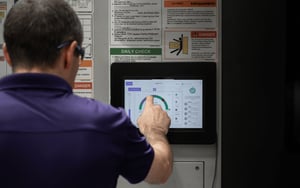
Production tracking software compared with other systems
“Production tracking software” can describe several overlapping types of manufacturing technology, something we come across a lot when talking to prospective new customers.
Understanding the different roles technologies can play will help you avoid buying a system that is either too limited or unnecessarily complex for your needs.
System |
Primary purpose |
Most suitable for |
Common limitation |
|
Spreadsheets and paper records |
Manually recording and reporting production. |
Small-scale or temporary tracking |
Data is delayed, inconsistent and difficult to maintain |
| Machine monitoring software | Capturing live machine status, utilisation and downtime | Real-time factory visibility and performance improvement | May not manage every production workflow or business process |
| OEE software | Measuring availability, performance and quality | Equipment-effectiveness and improvement programmes | Results depend on accurate underlying production data |
| ERP | Managing business processes such as orders, inventory, purchasing and finance | Company-wide resource planning | Often has limited live visibility of machine activity. Costly and complex |
| MES | Managing and controlling manufacturing execution | Complex production processes requiring detailed workflow control | Can require significant implementation time, integration and investment |
| CMMS | Managing maintenance work, assets and servicing schedules | Preventive and corrective maintenance | Does not usually provide a complete view of production performance |
| Production scheduling software | Planning jobs, resources and production sequences | Creating and optimising production schedules | Plans may be inaccurate without reliable shop-floor data |
It is worth noting that these systems are not always alternatives or competing with one another.
For example, an ERP system is likely deemed a business critical system but may hold the customer order and planned completion date, while machine monitoring software is less critical to an ERP but shows whether the machines are producing as expected. A manufacturer may also use machine downtime data to support maintenance decisions within a CMMS.
Therefore, the key question is not “Which single system does everything?” It is “Which information are we currently missing, and what decisions would better data allow us to make?”
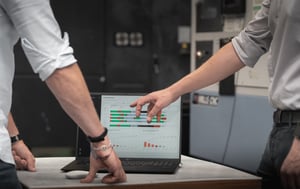
Five essential production tracking software features
In no particular order, these are our top five, essential features you should look for when choosing a production tracking software.
This isn't an exhaustive list by any means, but provides a focus view of what to look out for when choosing a system.
01. Automatic data collection
Manual input should be reserved for information that genuinely requires human context.
Machine status, start and stop times, utilisation and similar signals should be captured automatically where possible. This reduces the burden on operators and improves the consistency of the data.
02. Downtime tracking and reason capture
Knowing that production stopped is only half the answer. The system should also help teams understand why.
Operators should be able to record downtime reasons quickly using relevant, configurable options. The process should require minimal interruption to their work.
The software should then make it easy to identify recurring causes and quantify their effect on production.
03. Production targets and counts
The platform should allow teams to compare actual output with the expected quantity or production rate.
Consider whether the software can capture counts automatically, accept operator input when necessary and distinguish between good output and rejected parts.
04. Machine utilisation
Utilisation reporting should show how effectively available equipment time is being used.
Useful systems allow manufacturers to analyse utilisation by machine, shift, department, job or time period. This makes it easier to distinguish an isolated problem from a repeated pattern.
05. Flexible dashboards and reporting
Different users need different information.
Look for dashboards that can be configured by role, machine, cell, shift or site. Reports should make it easy to move from a high-level measure to the underlying causes.
The aim should be to highlight decisions and priorities, not simply produce more charts.
As we said, this isn't a complete list, but in our opinion these are the 'fundamentals' (essentials) required from a good system.
It is of course important to consider other things such as security, multi-site scalability and integrations, but we will let you decide on how important these are to your business.
Production Tracking Software in Action
Get inspired and learn what FourJaw customers have achieved using our technology to improve their manufacturing operations.
Practical compatibility considerations
No two factory's are the same.
What might be a practical solution for one manufacturer may not work on your site. Below, we've outlined three practical considerations to think about before purchasing a solution.
Machine and equipment mix
Many manufacturers operate a mixture of modern equipment, manual machines, production lines and older assets without built-in connectivity. Replacing this equipment simply to access production data would rarely make commercial sense.
When evaluating software for a mixed factory, ask:
-
Does it require access to a PLC or machine controller or is is it non-intrusive?
-
Can it monitor machines without modern communication protocols?
-
Does it work across different equipment brands?
-
Can it track manual or semi-automatic processes?
-
Will installation affect warranties or existing controls?
-
How much production downtime is needed for installation?
-
Can new machines be added without a separate integration project?
A pilot should include a representative mixture of equipment. Demonstrating the system on just modern machines does not prove that it can provide consistent visibility across the whole factory.
Installation and Implementation timescales
Implementation can range from a short pilot to a multi-month transformation project.
The timescale will depend on:
- The number and variety of machines
- The data-collection method
- Network and security requirements
- Required integrations
- Dashboard and reporting configuration
- Operator and manager training
- The number of sites involved
- The scope of the initial project
For example: At FourJaw, we usually advise customers to do a phased rollout as it is often the most practical approach.
We work with them to ensure they start with a clearly defined production area and a measurable problem. Establish a baseline, introduce the system, confirm data accuracy and begin using the information in daily meetings.
Once the process is working, our customer success team will then work with the project lead to expand it to additional machines, teams or sites.
Software and project ownership
Technology installation is only one part of implementation. We strongly recommend that manufacturers should have a clear idea of:
-
Who owns the system
-
Who reviews the data
-
How often performance will be discussed
-
Who investigates recurring losses
-
How actions will be recorded and followed up
-
How operators will be involved
Our experience has shown us that production data creates value, only when it changes decisions and behaviour, not simply when it appears on a dashboard.
Read our article on data collection and the importance of workforce engagement.
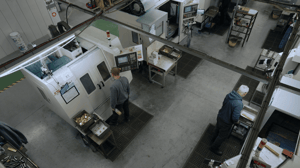
How to choose production tracking software
The strongest option is not necessarily the system with the longest feature list. It is the system that solves the right operational problem, fits the factory environment and will actually be used.
We have put together a list of things to consider during your evaluation and buying stage, we recommend you use it when comparing providers.
Buying criterion |
What to look for |
Questions to ask/consider |
|
Operational fit |
Clear alignment with the problem you need to solve or the goal you want to achieve |
Which manufacturing challenges is your system designed to address? |
|
Machine compatibility |
Support for the ages, types and brands of equipment in your factory |
Can you demonstrate the system on our legacy and manual machines? |
|
Installation |
A clear process with limited production disruption |
What physical and technical changes are required? |
|
Data accuracy |
A reliable method for distinguishing genuine production activity |
How do you validate the accuracy of machine states and production data? |
|
Operator usability |
Fast, straightforward shop-floor interaction |
How much manual input is required during a normal shift? |
|
Reporting |
Actionable analysis rather than generic dashboards |
What can our own team configure without supplier support? |
|
Scalability |
A practical route from pilot to wider deployment |
Can we begin with one area and add machines or sites later? |
|
Integration |
Useful standalone operation with appropriate integration options |
Which integrations are standard, and which require development? |
|
Security |
Clear data protection, hosting and access-control arrangements |
Where is our data stored and how is it protected? |
|
Support |
Manufacturing knowledge and ongoing assistance |
What support is included during and after implementation? |
|
Commercial model |
Transparent costs and a measurable route to payback |
What are the complete hardware, software, installation and support costs? |
Remember to be prepared when you decide to go ahead with a software demonstration. We advise prospective FourJaw customers to have a read through our 'demo best practice guide' to help ensure they get the most out of the demo. Check it out here if you want some ideas.
Common pitfalls to avoid when introducing production tracking software
Tracking too much too soon
We've all heard the saying 'don't try and run before you can walk', the same idea applies to data collection!
Collecting every possible measure can distract teams from the original problem.
Begin with a small number of trusted measures linked to clear actions. Additional data can be introduced once the organisation has established how it will use it.
Treating software as the improvement
Software makes losses visible; it does not remove them automatically.
Manufacturers still need people to investigate problems, agree actions and sustain improvements. System ownership and management routines are therefore as important as technical features.
Excluding operators
Operators often understand the causes of lost production better than anyone else.
If monitoring is introduced without explaining its purpose, employees may believe it is intended to measure individual effort. Involving operators early helps improve adoption, strengthens downtime data and turns the system into a tool for solving shop-floor problems.
Choosing dashboards over data quality
An impressive visual interface cannot compensate for unreliable information.
Buyers should test how the data is collected, how machine states are defined and how exceptions are handled before judging the reporting layer.
Starting with unnecessary integration
It can be tempting to connect every business system at the beginning of the project.
Unless integration is essential to the first use case, begin by proving that the production data itself is accurate and valuable. This reduces implementation risk and helps clarify which connections will deliver a genuine benefit.
Trust us, you will be surprised at how much value can come from capturing accurate machine level data!
How to calculate the return on investment
The business case for production tracking software should connect improved visibility with measurable operational value.
Potential financial benefits may include:
-
Additional output from existing equipment
-
Reduced unplanned downtime
-
Shorter setup and changeover times
-
Less overtime and subcontracting
-
Avoided or delayed capital expenditure
-
Reduced scrap and rework
-
More accurate job costing
-
Improved on-time delivery
-
Lower energy waste
A simple starting calculation is:
Recovered production hours × contribution generated per productive hour = potential value of recovered capacity
For example, if better downtime visibility helps recover 20 productive hours each month, the financial value will depend on what those hours allow the business to produce, invoice or avoid outsourcing.
When building the case, use conservative assumptions. Not every identified hour will be recovered immediately, and not every improvement translates directly into revenue.
The provider should be able to help you establish a credible baseline and define how results will be measured after implementation.
Try our simple Production tracking software ROI calculator >
Try our advanced Production tracking software calculator >
How FourJaw tracks manufacturing production
FourJaw is a real-time production monitoring platform designed to make factory visibility simple.
Our plug-and-play MachineLink technology uses non-invasive sensors to capture electrical signals from manufacturing equipment. This allows FourJaw to monitor machines of different ages, types and brands without requiring a connection to the PLC or machine controller.
The information is sent to our secure web-based platform where customers can monitor:
-
Live machine status
-
Machine utilisation
-
Production and idle time
-
Downtime and operator-selected reasons
-
Production counts
-
OEE availability
-
Job and shift performance
-
Energy use and cost
Operators can add production context through a simple shop-floor interface, while configurable dashboards give managers and leaders a live view of performance across machines, departments and sites.
Because installation does not depend on complex machine integration, manufacturers can begin with a focused pilot and expand the system as requirements grow.
FourJaw is trusted by manufacturers to:
-
Identify and prioritise causes of lost production
-
Increase utilisation and recover capacity
-
Reduce unplanned downtime
-
Improve planning and delivery performance
-
Support Lean and continuous-improvement activity
-
Measure the results of operational changes
-
Reduce avoidable energy consumption
See what your production data could reveal
Discover how FourJaw can provide real-time production visibility across your existing machines.
Not ready for a demo?
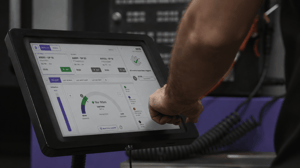
Production tracking software FAQs
Frequently Asked Questions
What is production tracking software?
Production tracking software collects and displays information about manufacturing activity. It can show machine status, utilisation, downtime, output, job progress and other performance measures, helping manufacturers understand what is happening on the factory floor and where production is being lost.
What is the difference between production tracking and production monitoring?
The terms frequently overlap. Production monitoring typically focuses on live machine and process performance, including status, utilisation and downtime. Production tracking may also include job progress, production quantities and performance against a schedule. The exact scope varies between software providers. Similar is true of 'machine monitoring software.'
Is production tracking software the same as an MES?
No. An MES normally manages detailed production execution, workflows, work instructions, traceability and process control. Production tracking software may provide a faster and more focused way to gain visibility of machine activity, downtime and output. The two can also be used together.
Can production tracking software connect to legacy machines?
Yes, if the provider supports alternative data-collection methods such as non-invasive sensors or IoT hardware (like FourJaw!).
Buyers should test compatibility across the actual range of machine types and ages in their factory.
Does production tracking require operators to enter data manually?
Not necessarily. Machine status, run time and downtime can often be captured automatically. Operators may still be asked to add contextual information, such as the reason for a stoppage, a reject quantity or a job reference.
What is the difference between production tracking and OEE software?
OEE software focuses on measuring availability, performance and quality. Production tracking software may collect the machine, downtime and output data used to calculate OEE while also supporting other activities such as live production management, job tracking and capacity analysis.
Learn more about OEE here.
Ready to
Learn More?
If you're looking for production tracking software for your factory, we'd love to talk to you. Simply request a demo and one of our team will be in touch.
About this guide
This guide has been developed by the manufacturing specialists at FourJaw to provide an objective view on what to consider when choosing a productive tracking software solution.
It draws on established manufacturing principles, recognised industry terminology and draws on our own experience providing technology solutions to manufacturers across the globe.
Our aim is to provide a practical, vendor-neutral resource that helps manufacturers understand the technology, evaluate its capabilities and make informed decisions.
As manufacturing technologies and best practices continue to evolve, this guide is reviewed and updated periodically to ensure its accuracy and relevance.